

Morning Recap
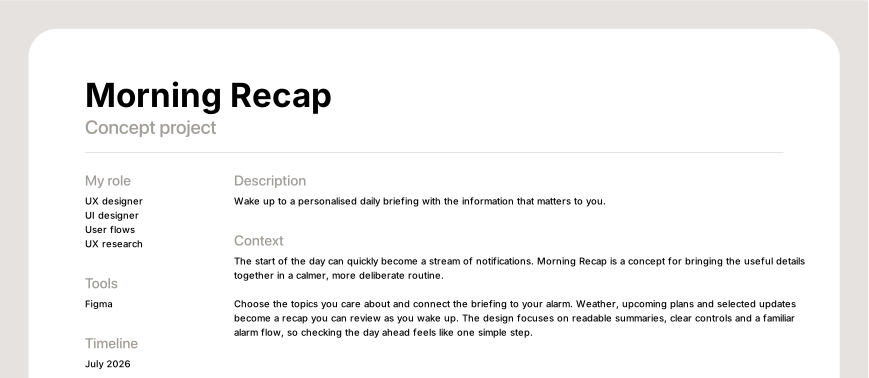
Wake up to a personalised daily briefing with the information that matters to you.
- My role
- UX designer · UI designer · User flows · UX research
- Tools
- Figma
- Timeline
- July 2026
Context
The start of the day can quickly become a stream of notifications. Morning Recap is a concept for bringing the useful details together in a calmer, more deliberate routine.
Choose the topics you care about and connect the briefing to your alarm. Weather, upcoming plans and selected updates become a recap you can review as you wake up. The design focuses on readable summaries, clear controls and a familiar alarm flow, so checking the day ahead feels like one simple step.


The problem
A morning can start with an alarm and quickly turn into checking several apps: weather, calendar, messages and news. I wanted to explore a more focused way to gather those useful details. The starting point was a request on r/iosapps for an alarm that leads into a daily briefing once dismissed. That idea became the basis for Morning Recap: choose what matters in advance, then receive a short summary as you wake up.
The insight
Every product fights for a slot in someone's morning. The alarm already has one, guaranteed, at a time the user chose, with their full attention, and it currently spends that attention on a snooze button. So the design problem was not how to build a dashboard. It was what to put in a slot you have already won, and how to hand it back quickly enough that nobody resents it. That set the only real constraint in the project: the whole briefing has to be shorter than the time it takes to get out of bed. Everything else is a consequence of that.

The idea
The exchange is literal. Same moment, same button. You give up one snooze and you get sixty seconds that leave you knowing what the day looks like. The version of you at ten at night has judgement and no urgency, so that is the one who builds the briefing. The version of you at seven thirty only has to receive it. A minute is short enough to be worth choosing over sleep, and long enough to say something. A product that asks for the first minute of your day has to give it back.
The architecture
Home shows tonight: the next alarm, and what tomorrow's briefing contains. Brief is where you build it. Alarm is a normal alarm clock, because it also has to be a normal alarm clock. The product is split across two moments that never touch. You assemble the briefing in the evening, when you have judgement and no urgency. You receive it in the morning, when you have neither. Nothing can be configured while the briefing is playing, and that is deliberate.


Design system
Morning Recap draws on Apple’s iOS design language, with familiar alarm controls, sheets, pickers and navigation. The goal is to make the interface easy to recognise at a moment when attention may be limited. The design work focuses on hierarchy, readable summaries and the sequence between waking up and reviewing the day. Colour helps distinguish actions, while the wording explains what comes next.


Flow walkthrough
The briefing builder shows the selected cards and an estimated reading time that grows as more topics are added. Weather, Reminders, Schedule, Priorities, News, Commute and Wellness can be reordered to match the user’s priorities. Showing time alongside the card count is intended to make the length of the briefing part of the decision.
The alarm offers Snooze as a full orange button and Start your brief as a slide underneath. Removing snooze would have been the confident choice and the wrong one. If the briefing has to beat snooze on a bad morning it will lose, so it sits below it and waits to be chosen on a good one.

What would make today count? Each card is one topic, one screen, one sentence of interpretation, and a button that names the next card rather than saying Continue. The interpretation is the part that matters. Not 24° but a cool start, then warm and bright, clouds build after 16:00 but rain is unlikely. Not a calendar but 2h 45m free this morning. The data is the evidence, the sentence is the product.

Appearance, Sound (Sunrise bell · Gentle), Accessibility, Data access. An alarm is one of very few apps whose sound design is a primary feature rather than a preference, so it sits second.

Close
This is a concept. Its main assumption still needs testing: would people choose a short briefing as part of waking up, and would it help them feel prepared for the day?
1. Will people set it up in advance? The flow separates evening preparation from morning use. I would test whether the expected benefit is clear enough to motivate that setup.
2. Does the briefing fit beside snooze? Keeping snooze available gives people a choice. I would test whether they understand the alternative and when they choose it.
3. How long should the briefing be? The one-minute target is a design starting point. The right length needs to be tested with the actual content and the people using it.
What I learned
The valuable part of this project was building it twice. The first direction was not bad work, it was work made for the wrong moment: designed at a desk, in the afternoon, at 100% zoom, for a person who is none of those things when they see it. Colour was doing the job that language should have been doing, and I only found that out by drawing the whole thing again.